Play next

Battle Fleet World
- Developer
- MythicalCity
- Rating
- 9.3(based on last 6 months)
- Votes
- 3.7K likes and 280 dislikes
- Released
- May 2026
- Last Updated
- September 2026
- Game engine
- Externally hosted (iframe)
- Platform
- Browser (desktop-only)
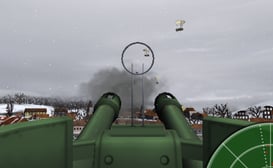
Command your own WWII warship in a persistent multiplayer ocean where the battle never ends!
Unlike traditional naval battle games, Battle Fleet World has no separate matches or round timers. Explore a shared online world, fight enemy ships, hunt valuable convoys, and join other players for large-scale events.
Start with a destroyer and work your way up to powerful cruisers and battleships. Upgrade your weapons, armor, and equipment as you gain experience.
Play solo or create a Task Force with other captains. Coordinate attacks, help your allies, and make friends or rivals in a world where every player shares the same ocean.
Features
- Persistent Multiplayer World: No separate matches or battle timers. Sail freely in one shared ocean.
- Cooperative Naval Battles: Join other captains to attack fortresses, hunt powerful enemies, and complete special operations.
- Task Forces: Create or join a team, communicate with members, and coordinate your activities.
- Build and Upgrade Ships: Unlock destroyers, cruisers, battleships, and support vessels. Customize their weapons and equipment.
- Dynamic World Events: Discover convoys, valuable targets, salvage, and scheduled fortress assaults.
- Tactical Naval Combat: Manage ammunition, torpedoes, damage, flooding, and repairs.
- PvP and PvE: Fight hostile AI ships, cooperate with other captains, or battle rival players.
- Risk and Reward: Collect valuable salvage and return to port to secure it before your ship is destroyed.
The ocean is yours to explore. What kind of captain will you become?
Last Updated
Sep 22, 2026
Controls
- WASD / Arrow Keys: Throttle and rudder
- Mouse: Aim turrets and rotate camera
- Scroll Wheel: Zoom in and out
- Shift: Toggle binocular view
- M: Toggle world map
- T: Toggle Gun/Torpedo mode
- R: Open Damage Control
Salvage
- Earn salvage by destroying enemy ships or floating containers.
- Sail over salvage crates to collect them.
- Important: Salvage carried onboard is lost if your ship is destroyed.
- Bank salvage safely at a port or salvage bank.
- Salvage is used to buy ships, upgrades, and items.
Docking at Ports
- Enter the port zone and slow down.
- Press E to dock.
- Docking opens the port menu, where you can access stores, upgrades, repairs, and items.
Ammo
- Your guns have limited ammunition.
- Reload by docking at ports or collecting ammo crates in the world.
- Running out of ammo leaves you exposed, so plan accordingly.
Items & Upgrades
- Items must be equipped at a port before use.
- If your ship is destroyed, all equipped items are lost.
- Permanent upgrades stay with your ship even after destruction.
Flooding
- Ships hit low along their hull can take on water and begin flooding.
- If flooding increases beyond a certain level, the ship will take continuous damage.
- Flooding will repair itself over time or can be fixed with special items or repairs at a port.
Damage Control
- Press R to open the Damage Control panel while at sea.
- Select a damaged subsystem, then assign damage control parties to begin repairs.
- Destroyed or disabled systems cannot be repaired by damage control parties. Return to port for full repairs.
Play next